Every save becomes a version
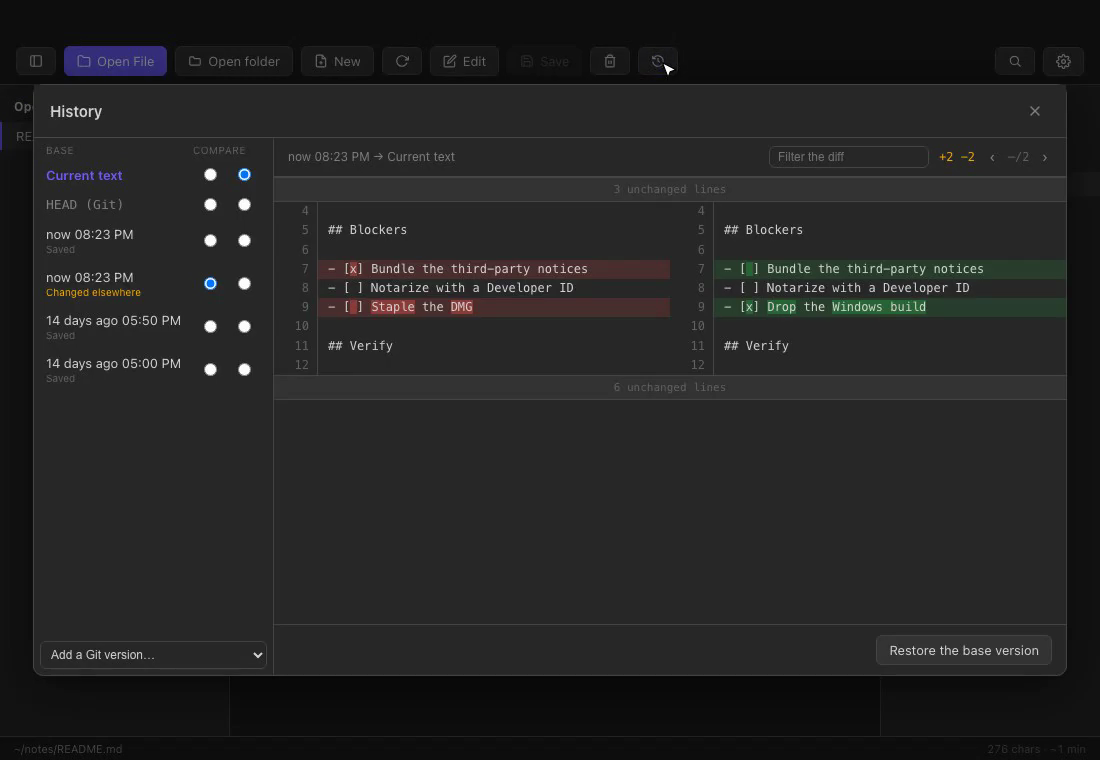
Saves, and rewrites from outside the app, automatically become timestamped versions. Put any two side by side and only the changed words are marked. In a Git repo, HEAD joins the same list.
 MrkTools
Markdown · macOS
A macOS Markdown viewer and editor that keeps a timestamped version of every save — and of every rewrite from outside the app. Git is optional.
Free forever · signed and notarized / $19 One-time · up to 2 Macs per license
Saves, and rewrites from outside the app, automatically become timestamped versions. Put any two side by side and only the changed words are marked. In a Git repo, HEAD joins the same list.
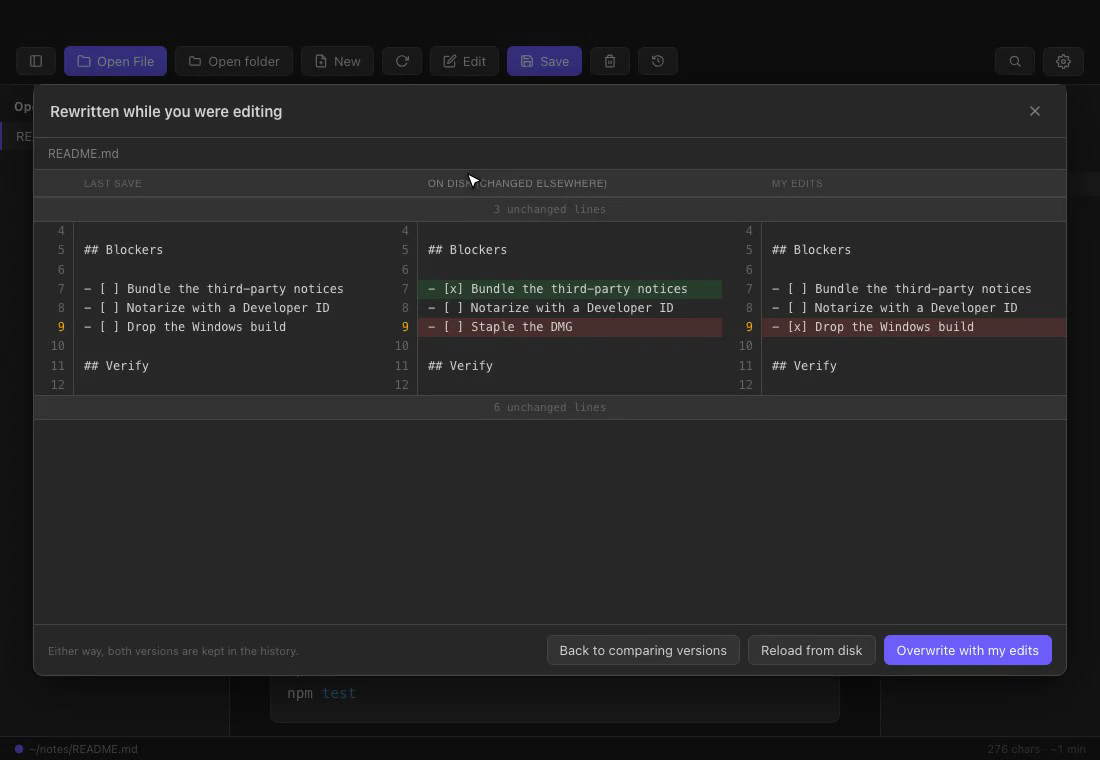
If an agent rewrites the file while you are editing, MRDown neither reloads over you nor overwrites. Last save / on disk / my edits sit in three columns, and only conflicting lines are marked.
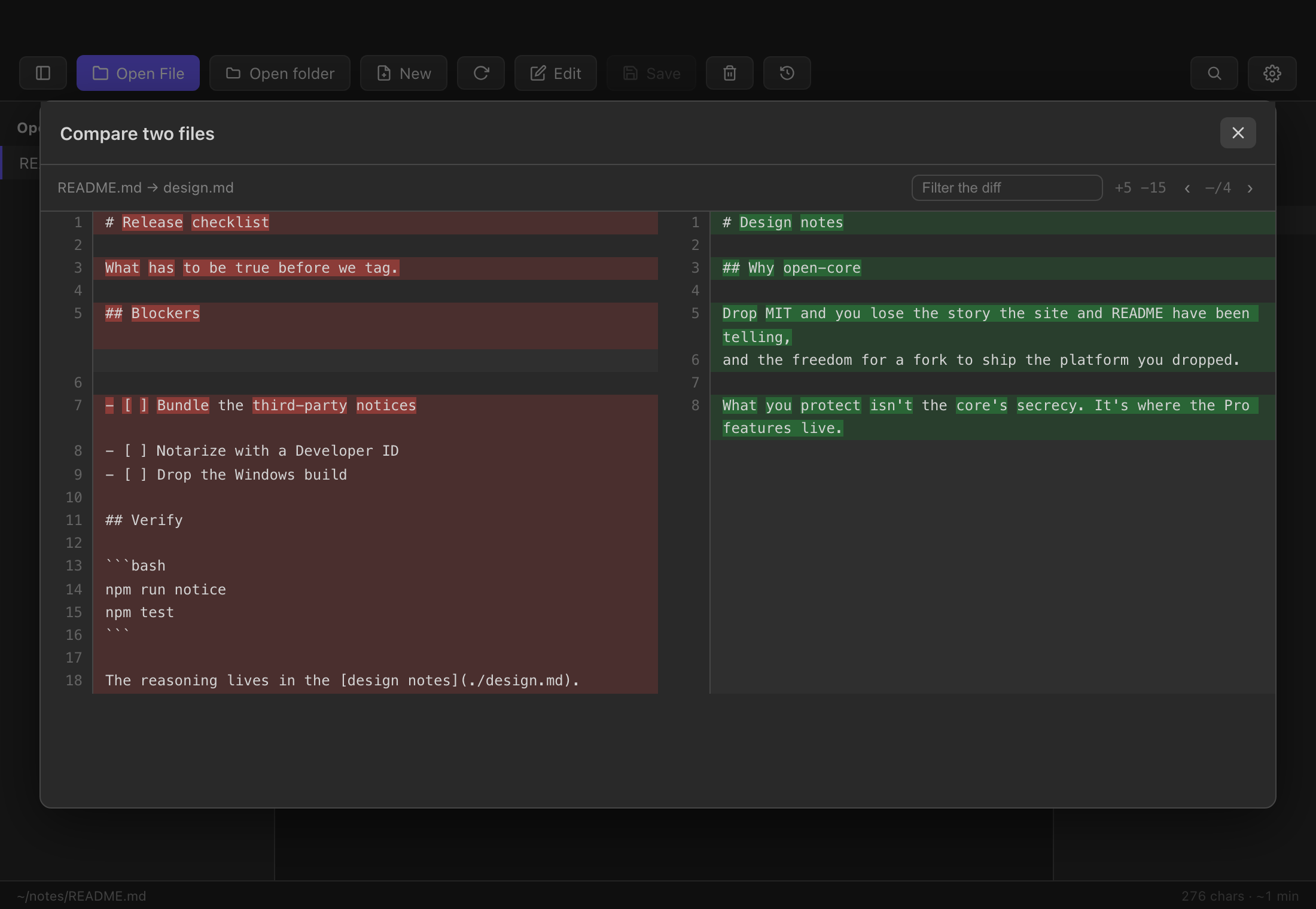
Press ⌘⇧D and pick two files. Read word-level differences in the same view as the timeline. Two .docx files show the diff between document versions.
Tables, code, Mermaid, KaTeX and footnotes render cleanly. One column by default, a reading mode that hides the rest, and .docx files open as Markdown.
Let AI describe what changed between two versions. Anthropic, OpenAI and Gemini use your own API key (BYOK); Ollama and Apple’s on-device model need no key and stay on your Mac.
⌘⇧L runs the open document through markdownlint and lists line, problem and rule. “Fix” and “Fix all” go through normal editing, so ⌘Z undoes them. The line-length rule — which hits nearly every Japanese line — is off by default.
Open and save user@host:/path Markdown. Folder-wide search handles partial Japanese matches too.
Versioning is the headline, but MRDown is built to hold up as the tool you read and write in every day. Everything below is in free MRDown.
Mermaid code blocks render as diagrams — flowcharts, sequence, class and ER diagrams, Gantt charts and more. A syntax error shows the error and keeps the source, so your document never breaks. You can also turn a table into a Gantt chart.
```mermaid
flowchart LR
  Draft --> Review --> Release
```

Write, read, keep versions.
Free
Free forever · signed and notarized
MIT License · Source on GitHub
The MRDown name and logo are not covered by the MIT license

Read what a change means.
$19
One-time · up to 2 Macs per license
| MRDown | MrkDown | |
|---|---|---|
| Version history, diff, restore | ✓ | ✓ |
| Three-column view for outside rewrites | ✓ | ✓ |
| Compare any two files | ✓ | ✓ |
| Compare with local Git | ✓ | ✓ |
| Open folders / search open documents | ✓ | ✓ |
| AI diff explanation (BYOK / on-device) | — | ✓ |
| Document inspection (markdownlint) with fix-all | — | ✓ |
| Remote Markdown over SSH | — | Coming |
| Whole-folder search (unopened files too) | — | Coming |
| Price | Free | $19 one-time |
MrkDown has no separate trial — free MRDown is the trial. If it fits, add Pro with a one-time purchase.
Download MRDown