Text Editor · macOS

Text someone — or something — wrote. Investigate. Fix.

Now that AI does the writing, an editor is a tool for reading and fixing. Logs, CSVs, exports, dumps, diffs. You don’t choose their size or encoding. MrEditor opens them, filters, aligns columns, lets you fix them, and saves without leaving the file half-written.

Free forever · signed and notarized / $19 One-time · up to 2 Macs per license

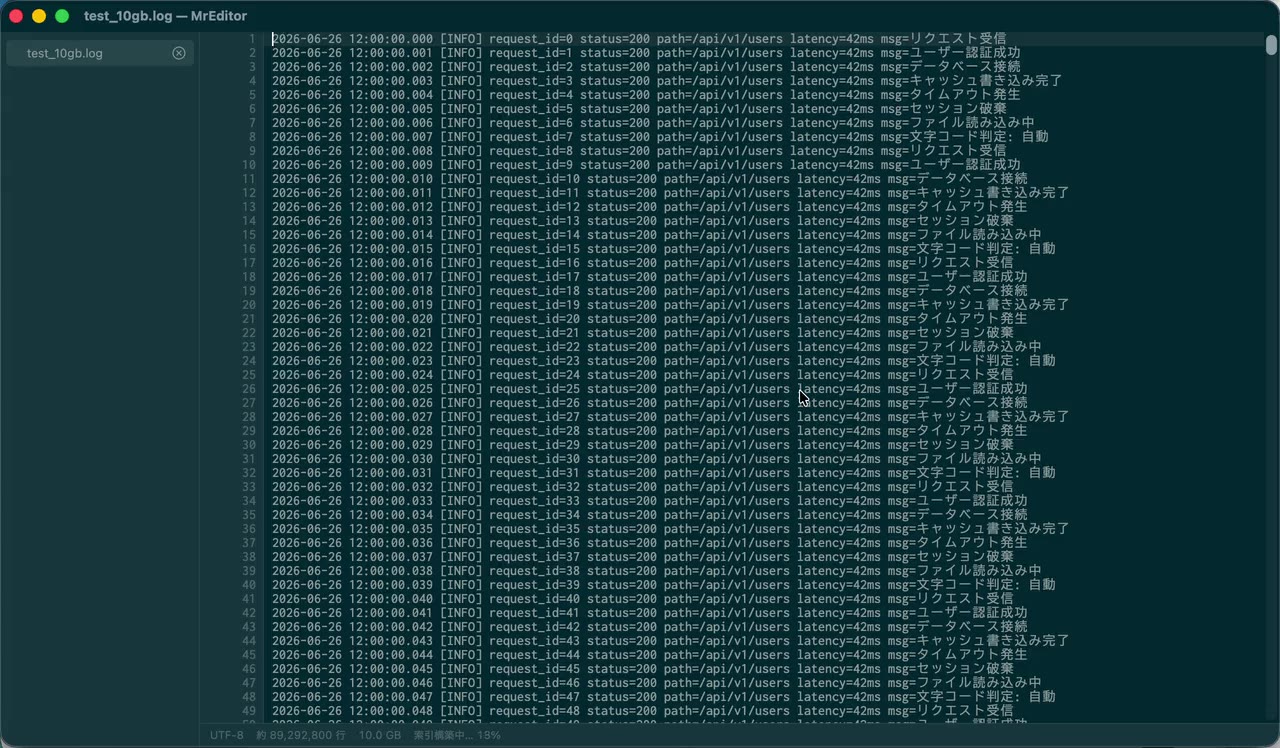
A 10 GB, 86-million-line log opened in MrEditor, scrolled and searched

Features

Opens 1 GB+ in tens of milliseconds

Files are memory-mapped, and only tens of KB are read before the first line appears. A 1.18 GiB, 5.8-million-line CSV shows its first line in 51 ms; a 10 GB, 86-million-line log opens in about 80 ms. Excel stops at 1,048,576 rows — no rows vanish here.
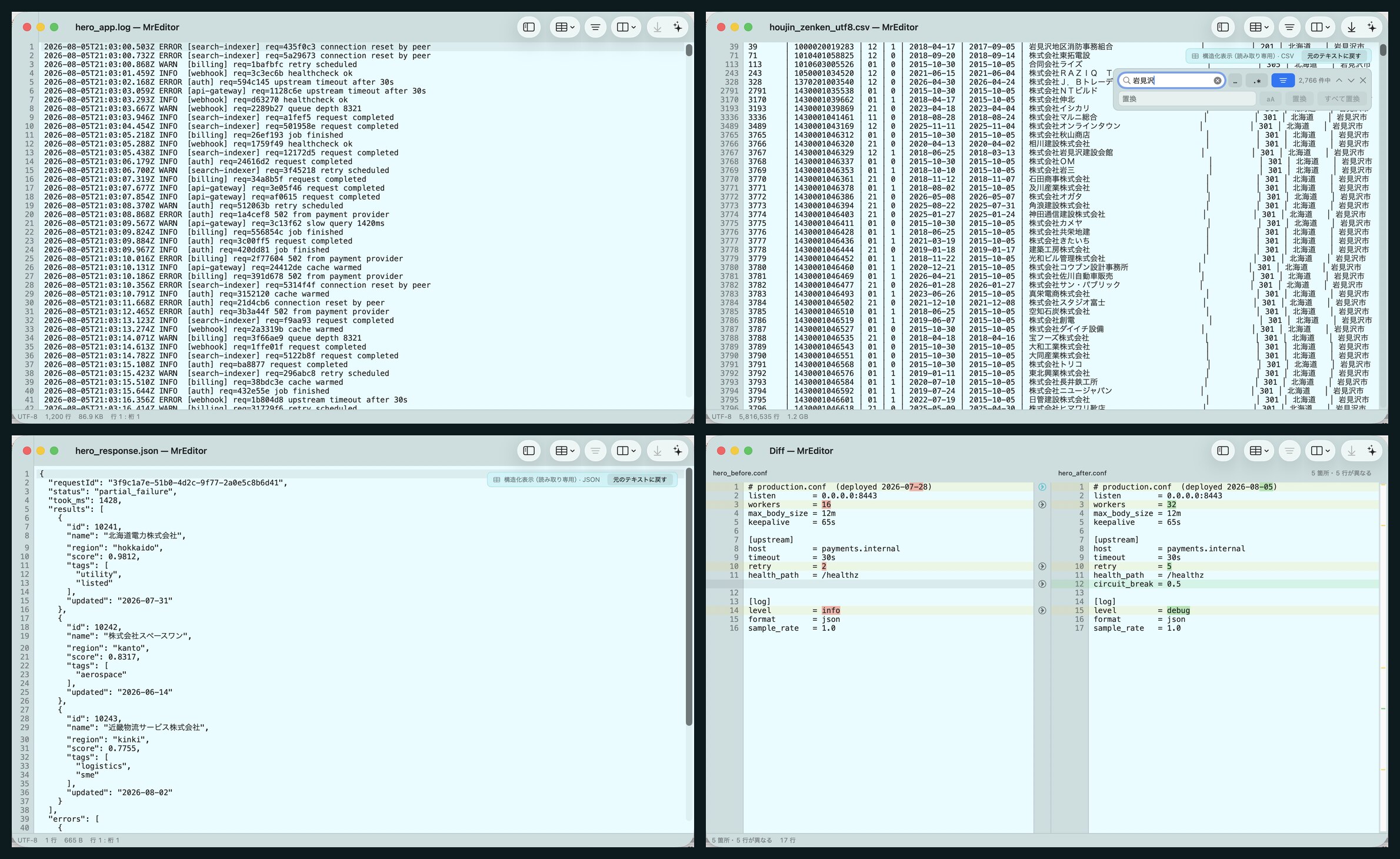
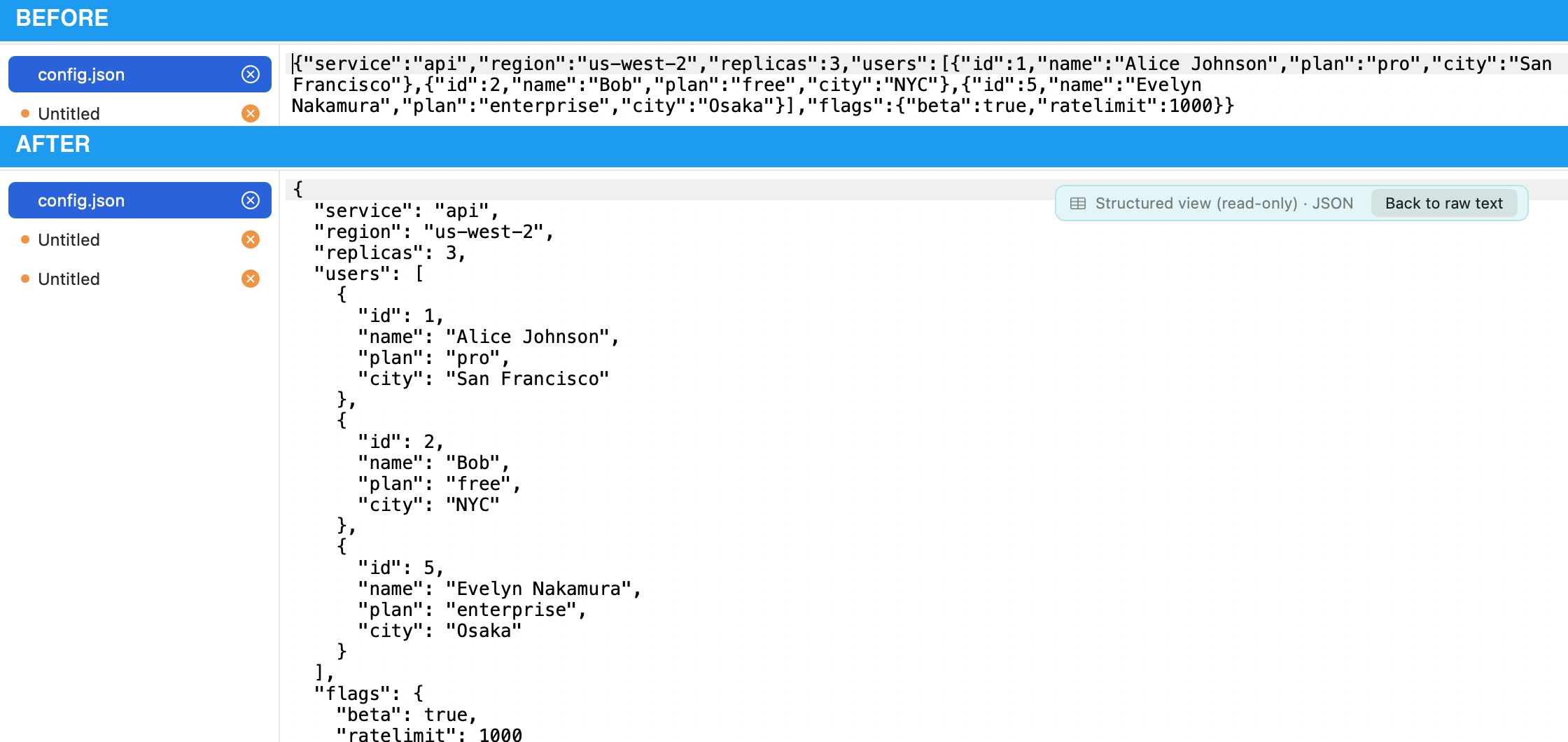
A service log, an aligned CSV, formatted JSON, and a two-file config diff

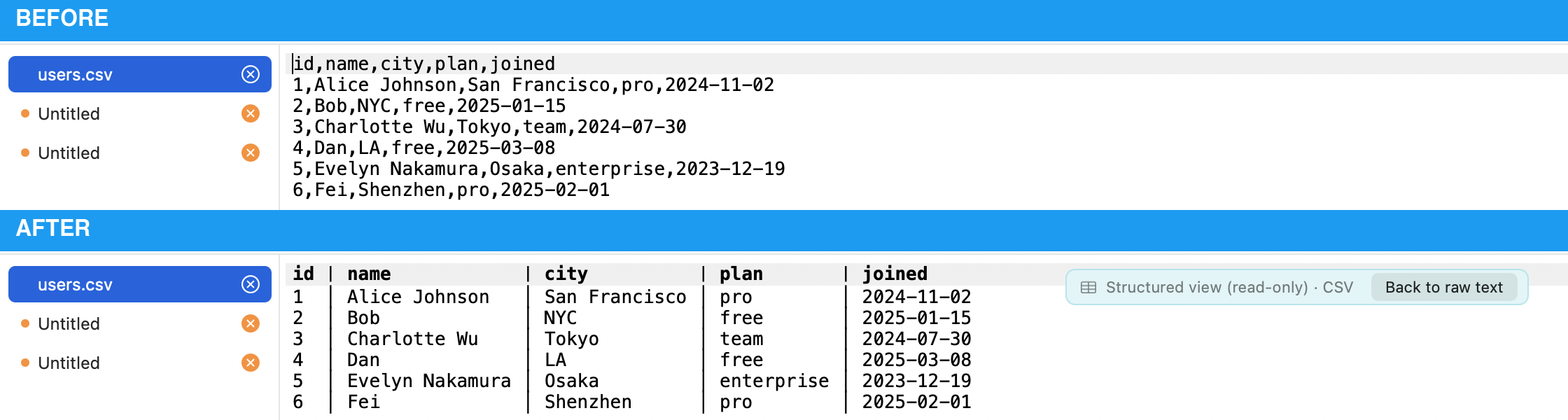
Columns line up

CSV/TSV align into columns, and one-line JSON is formatted in place. Grep while the columns stay aligned. Formatting is display-only, so saving writes the original back byte for byte. Fixed-width files become columns with the column ruler.

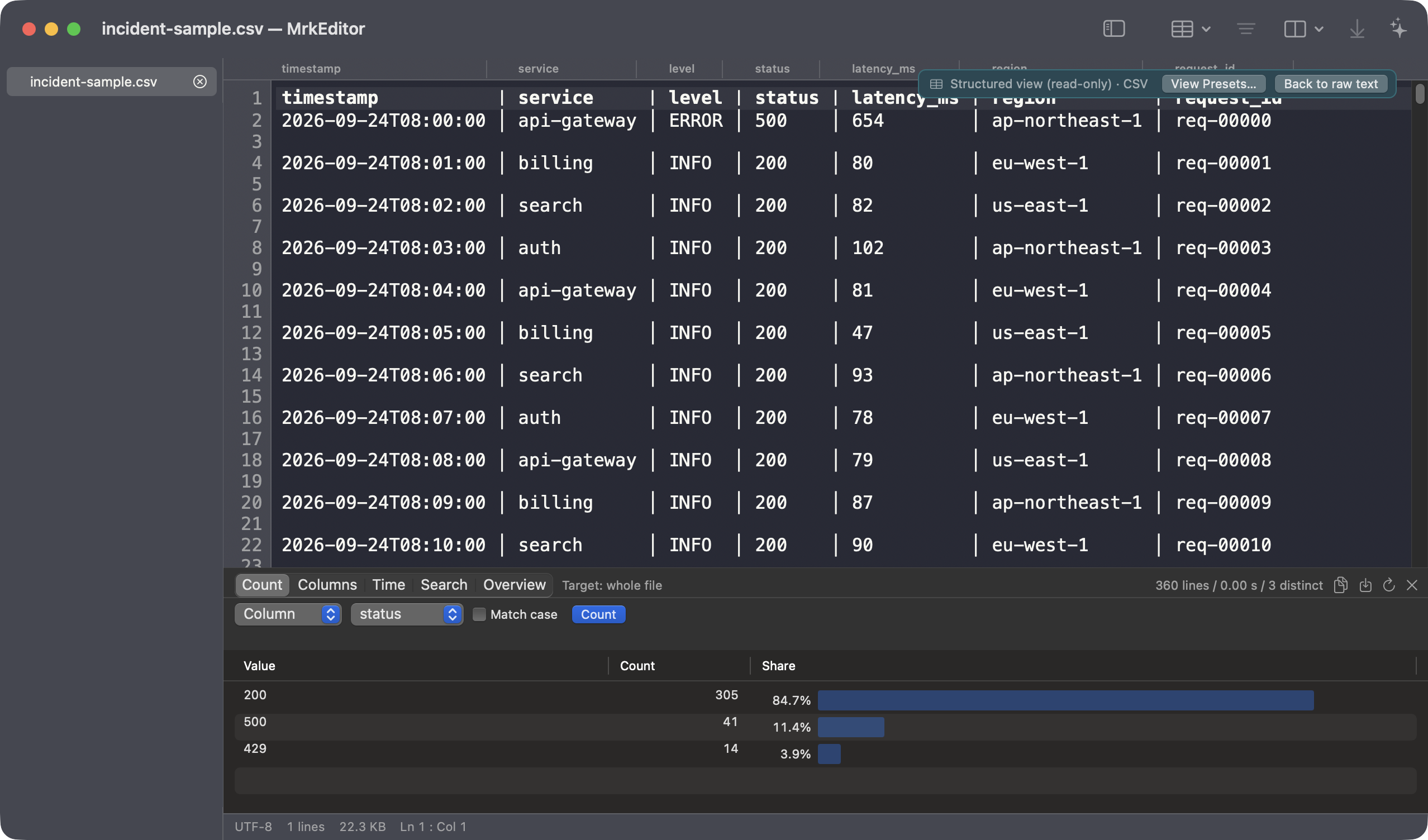
An aligned CSV narrowed to matching rows

Format JSON and query it in place

Run jmespath-style expressions with ⌥⌘J to filter and project. Results are never saved, so the file on disk stays untouched.

One-line JSON shown formatted

Pipe a live log straight in

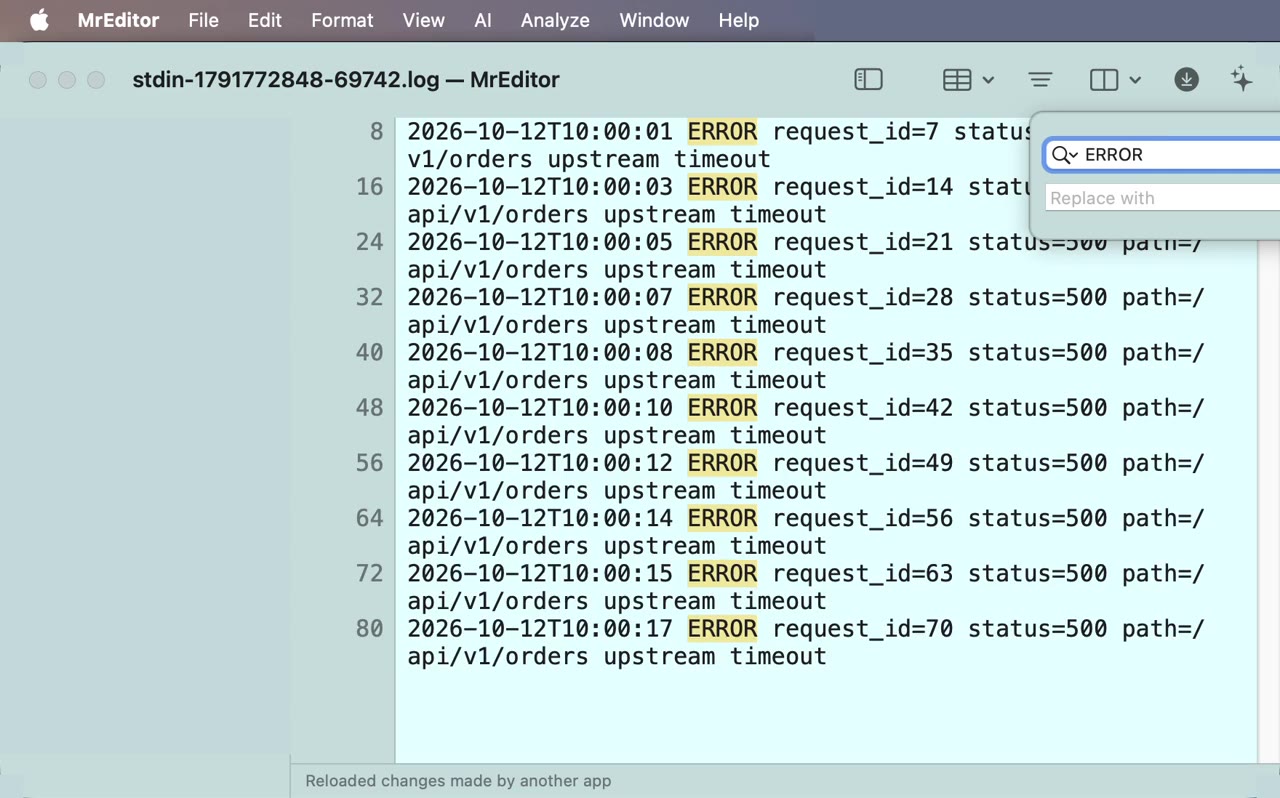
With tail -f app.log | mreditor, the log opens from the first byte and follows the tail. Type a term while it streams and switch on “matching lines only”: only the matching lines stay, even as the log keeps flowing. Run | mreditor again and the stream joins the open window as a tab. The install command is under Help ▸ Use from Terminal…

A log piped in from the terminal, narrowed to ERROR while it keeps following
Pro

Count the values

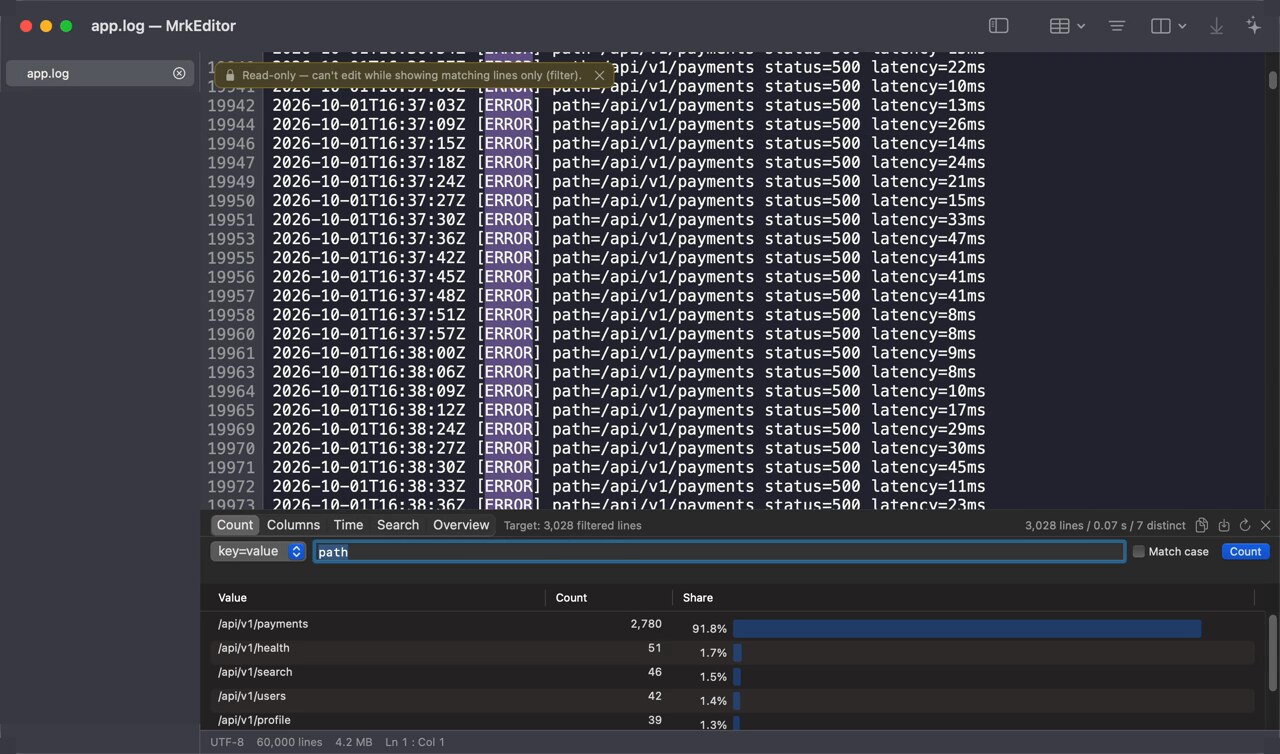
sort | uniq -c | sort -rn, on columns or key=value. 3.40 s on a 10 GB, 86-million-line log. Double-click a row and the text narrows to lines with that value.

A list of prominent values; picking one narrows the log below
Pro

From a time spike back to the lines to read

After filtering to errors, draw the time distribution. Drag a spike and the text becomes that time range, which you can then count by path. 3.18 s on 10 GB and 67 million lines.

A bar chart by time; dragging a range narrows the text to it
Pro

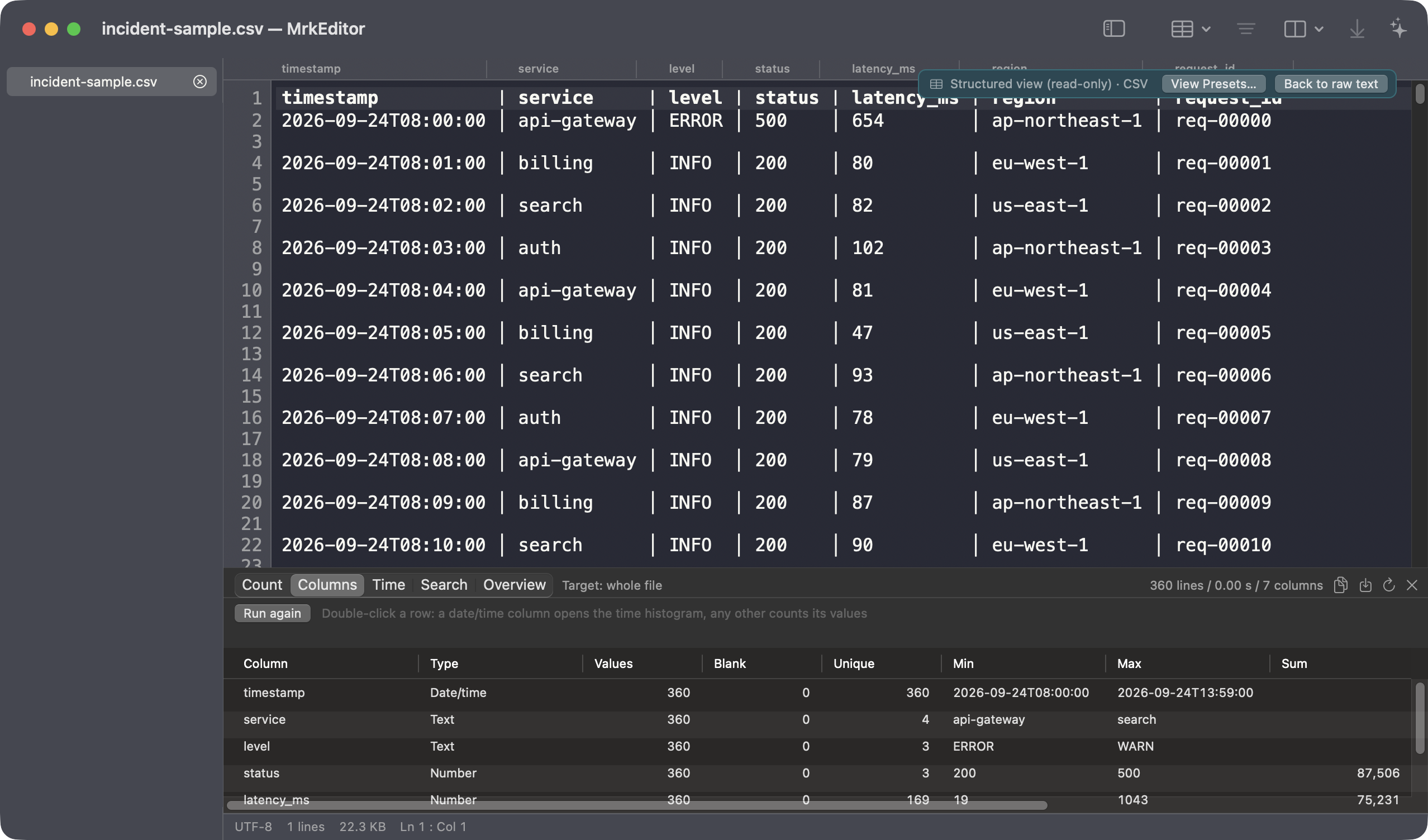
Find the odd column in a CSV

One pass over every column: type, blanks, unique count, min/max, sum and mean. 4.78 s on a 1.18 GiB, 30-column file. A map of the CSV before you reach for a spreadsheet.

Per-column type, blanks, unique counts and numeric summaries

Open server logs without downloading

ssh host:/var/log/app.log (⌃⌘O) opens from the tail. Filtering runs on the remote side and no body bytes are transferred. Authentication is left to /usr/bin/ssh — if the terminal connects, so does this.

tail -f a 10 GB log — and edit it

Follow mode (⌥⌘F) never reloads; it extends the mmap index by only the new bytes. Follow a multi-GB log that is still being written, and edit it in place.

Saves that don’t break the file

Atomic save writes to a temporary file and swaps. Bytes you didn’t touch come back as they were. Save as UTF-8 / Shift-JIS / EUC-JP, and pick up outside changes automatically.

Compare and merge

Put two files, two open tabs, the clipboard or a URL side by side and see down to the changed character. Press → to move the left side into the right, then save the result under a new name.

AI for error root causes

Select a stack trace and press ⌥⌘E. The answer streams in as it is written. Anthropic, OpenAI and Gemini use your own API key (BYOK), kept in Keychain.

Pro

Search across folders

One literal word across a 10 GB log in 3.14 s. Click a result and that line opens; Shift-JIS and EUC-JP files are detected per file.

The editor basics are covered too

Everything for reading is in the free MrEditor (MIT licensed).

Open · Read

  • Fast open at any size
  • Encoding auto-detect (UTF-8 / Shift-JIS / EUC-JP)
  • Structured view (CSV/TSV, NDJSON, JSON)
  • Column ruler and fixed-width field definitions
  • Open remote files without downloading

Find · Narrow

  • Streaming search over huge files
  • Multi-word AND, regex, case-sensitive
  • Filter view / live grep showing matches only
  • Replace with case preservation
  • Jump to line (⌘L)

Edit · Save

  • Edit at any size (piece table for huge files)
  • Atomic save
  • Choose the save encoding
  • Align by column (Tab / ⌥Tab)
  • Auto-reload on outside changes

Comfort

  • Multiple documents and session restore
  • Themes (Solarized / Monokai / custom)
  • Font, tab width and line spacing
  • Status bar (encoding, lines, size, index progress)
  • Japanese / English UI

Pricing

MrEditor

Open, narrow, fix, save without breaking.

Free

Free forever · signed and notarized

MIT License · Source on GitHub

  • Fast open at any size
  • Structured view and JSON queries
  • Search, filter and replace
  • Two-file compare and merge
  • Remote logs over SSH and follow mode
  • AI error root causes (BYOK)
Download MrEditor

MrEditor vs. MrkEditor

MrEditorMrkEditor
Open, search, edit and save huge files✓✓
Structured view and JSON queries✓✓
Compare and merge✓✓
Remote logs over SSH and follow mode✓✓
AI error root causes (BYOK)✓✓
Value aggregation—✓
Time distribution—✓
Column statistics for CSV—✓
Search across folders—✓
PriceFree$19 one-time

Start with the free MrEditor.

MrkEditor has no separate trial. The free MrEditor is the same editor core, so you can try it on your real files first. If it fits, add MrkEditor with a one-time purchase.

Download MrEditor