AWS Drift · Self-hosted

Own your infrastructure. Alone if you have to.

Detect the unmanaged resources terraform plan misses, see where definition and reality diverge, and keep a full ledger — console-created resources included. A self-hosted AWS infrastructure ledger that runs in Docker.

git clone https://github.com/MR-TABATA/SyncVey cd SyncVey cp .env.example .env docker compose up -d

Self-hosted · Docker

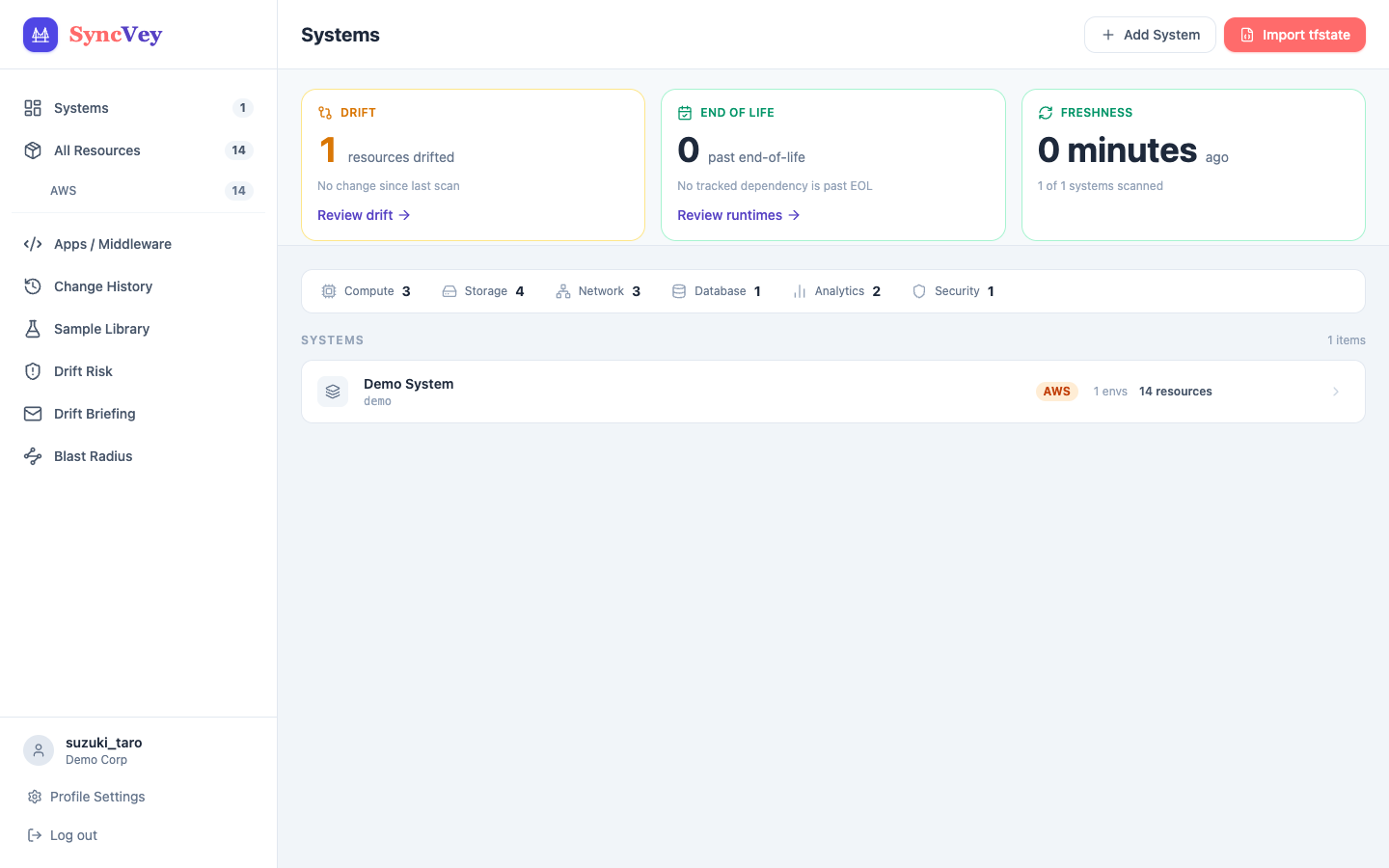
The SyncVey dashboard, managing systems, environments and resources in one place

Features

One ledger: systems → environments → resources

AWS resources are organized by system, environment (PROD / STG / DEV) and resource. Each environment lists its resources — EC2, RDS, S3, ALB and more — with counts, and an environment with changes shows how many were changed or added.
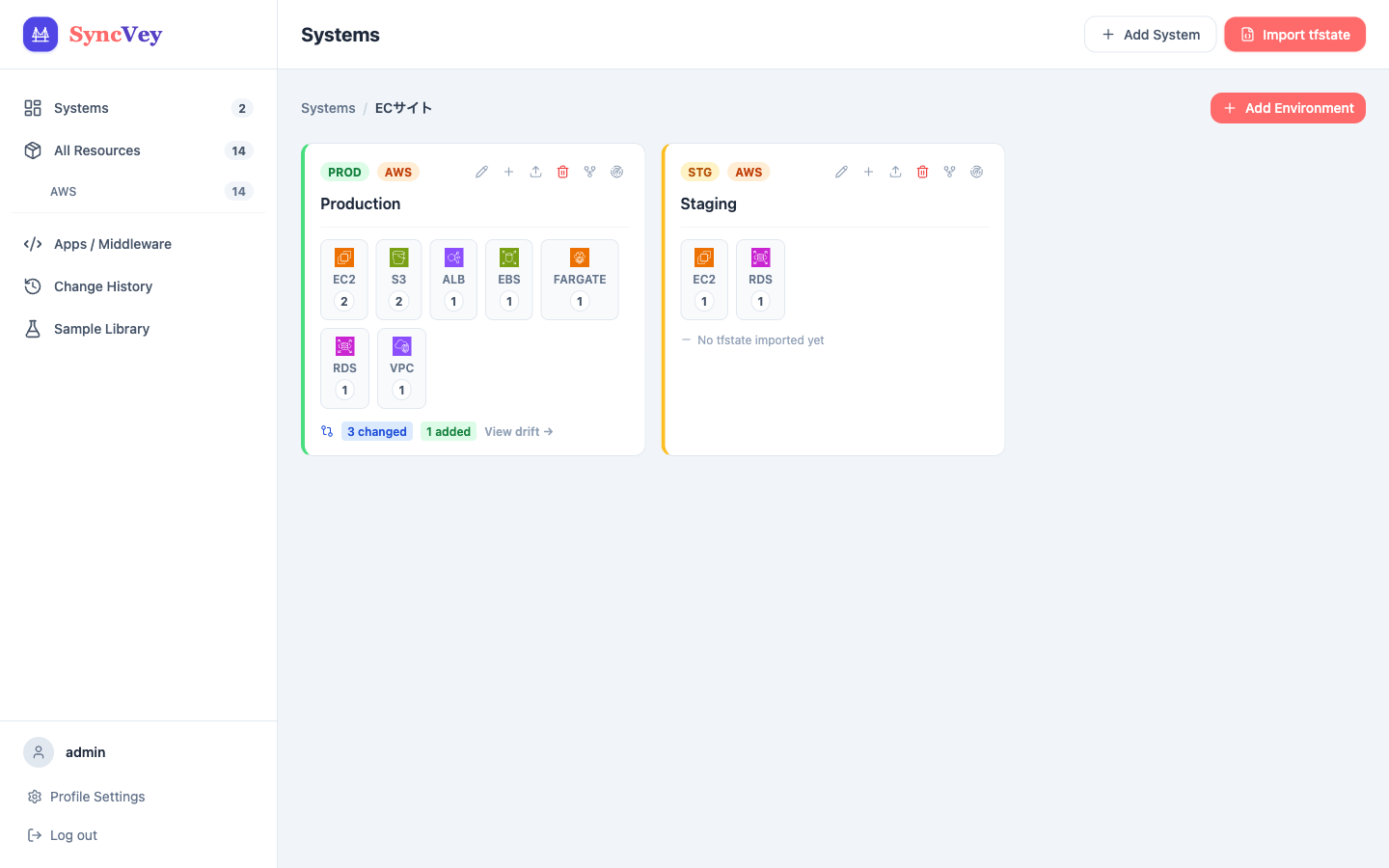
Environment cards for Production and Staging, with resource counts and changed/added counts

Unmanaged resources, down to the attribute

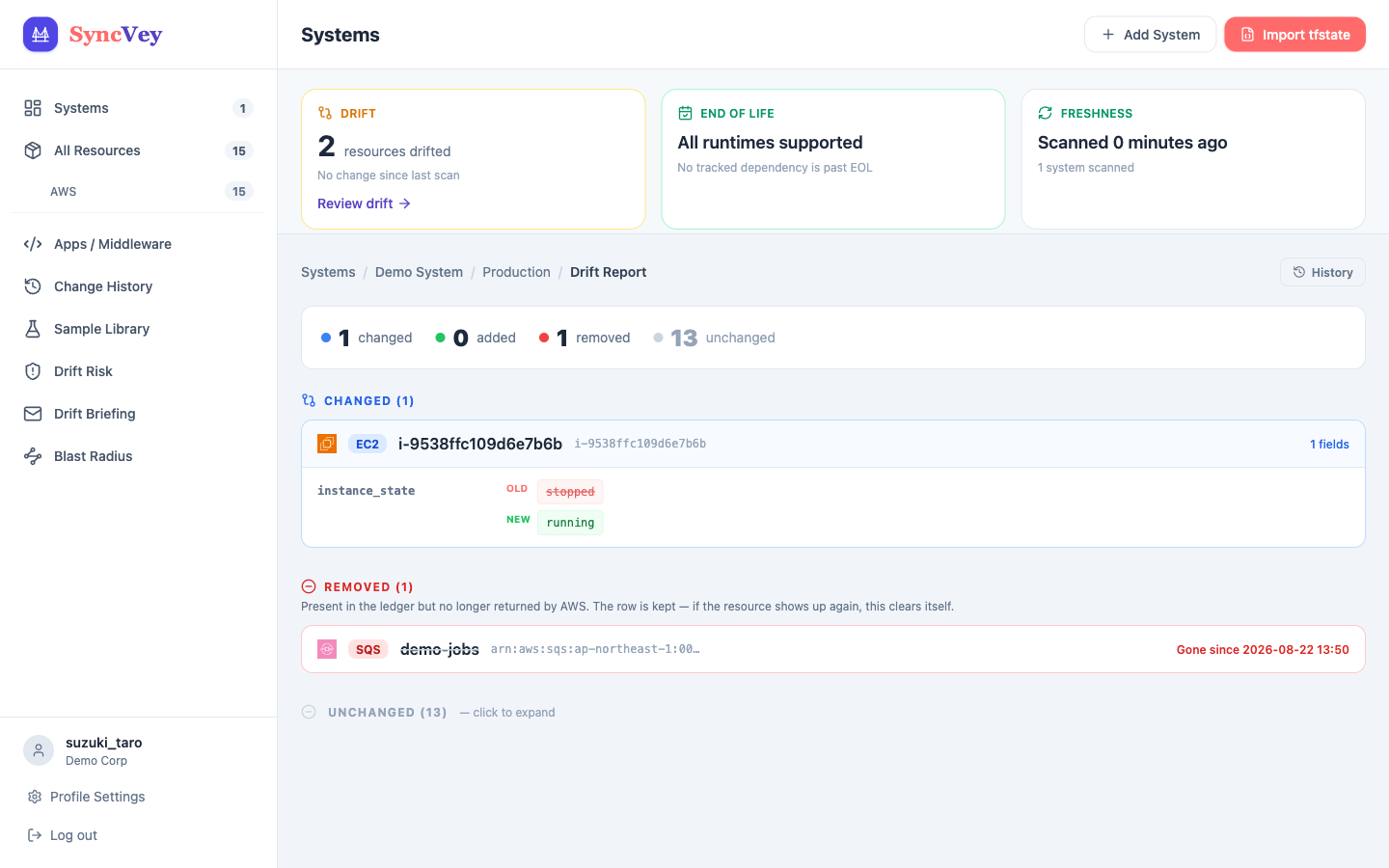
terraform plan only sees what Terraform already knows. SyncVey calls the AWS API directly through Boto3 and finds resources created by hand in the console. Differences from tfstate come down to the attribute that changed.

A drift report showing attribute-level differences between the tfstate definition and AWS reality

Drift over time

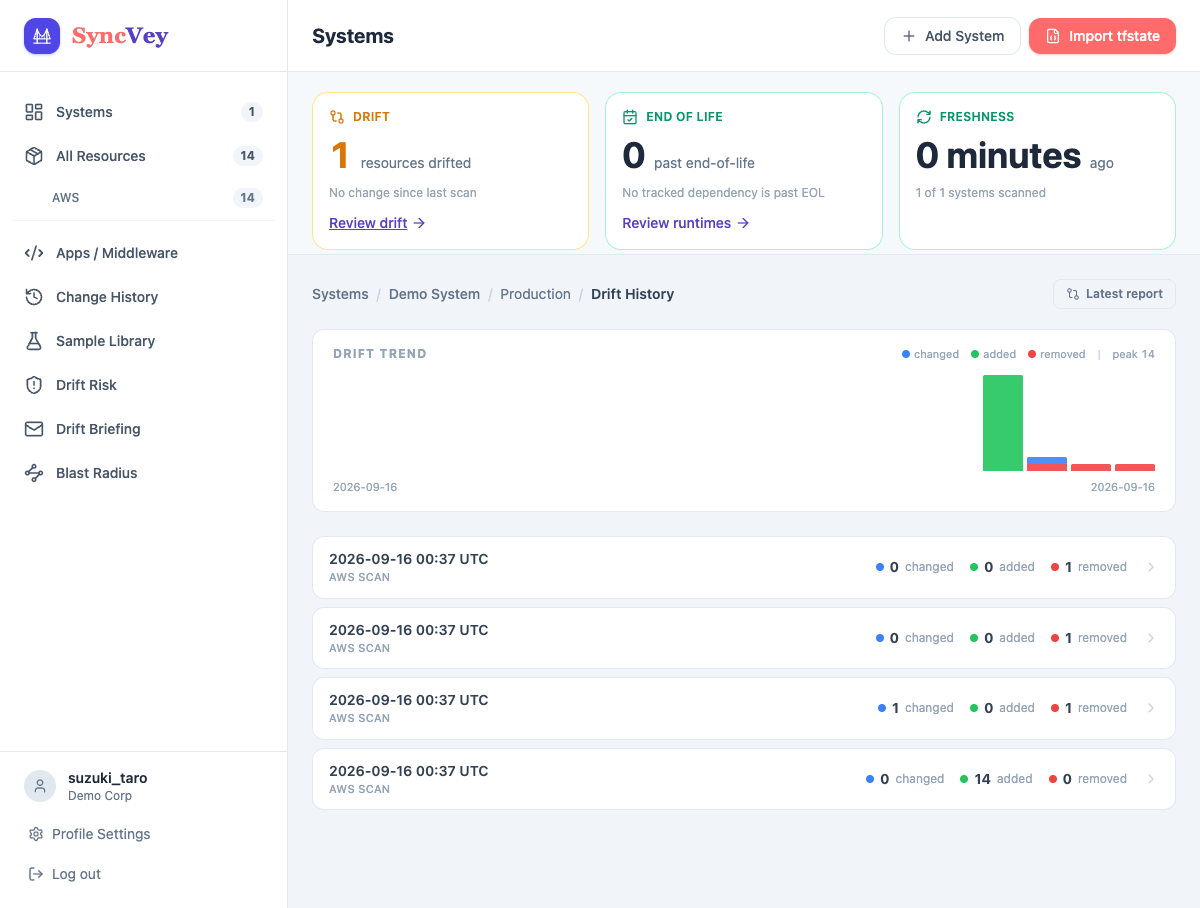
Every scan and import records a drift snapshot. A trend chart shows when, and what, started to drift, and each point keeps its field-level diff.

A drift trend chart with the history of each scan

Pull tfstate automatically

With an S3 backend, set the bucket and key once and state syncs on its own. With a local tfstate, just upload it in the UI.

Drift alerts to Slack

SyncVey diffs definition against reality at the attribute level and notifies Slack. Set a scan interval and fewer drifts go unnoticed.

Triage risky drift — and name who did it

Each change is graded by security impact: a security group opened to 0.0.0.0/0 is critical, a tag tweak is low. “Who changed this?” traces the change to the actor via CloudTrail. A weekly Slack briefing is available too.

How far a drift reaches

From each drifted resource, SyncVey walks the reference graph outward and ranks what it can reach by severity and distance, so you fix the change that touches the most first.

Catch the rotation that never happened

A secret that never rotated produces no diff. SyncVey grades the current state instead. It reads only rotation metadata; the secret value is never fetched or stored.

Middleware support dates — on AWS's own schedule

End-of-life runtimes and middleware are flagged per environment. RDS and EKS show extended support (paid), and Lambda shows deprecated, before past end-of-life, using the dates AWS publishes. Works offline from built-in data, with an optional daily refresh from endoflife.date.

Known vulnerabilities, right in your ledger

Register an application's GitHub repository once and its lockfiles (requirements.txt, package-lock.json, composer.lock, Gemfile.lock, go.mod) are re-imported every day, so each library's publicly known vulnerabilities stay current without anyone touching them. RDS PostgreSQL and MySQL, and ElastiCache Redis and Memcached, engine versions are matched in NVD. You get severity, fixed versions, links, and a mark for what CISA lists as exploited — facts only. Off by default; only the package name and version leave your network.

Apps and middleware, per environment

Track language, framework, deployment method and dependencies per environment (PROD / STG / DEV). Dependencies follow the GitHub repository on their own, every day — a stage environment can point at another branch.

Supported resources and setup

No broad ReadOnlyAccess. A custom IAM policy scoped to the exact read permissions scanning needs ships in the box.

AWS resources covered

  • EC2, ECS, EKS, Lambda
  • RDS, DynamoDB, ElastiCache
  • S3, EBS, EFS
  • ALB, VPC, Route 53, CloudFront
  • SQS, SNS, API Gateway and more

Setup in 4 steps

  • git clone it, then create an IAM user from the bundled iam-policy.json
  • cp .env.example .env and set your AWS keys
  • docker compose up -d (migrations and the initial account are automatic)
  • Connect tfstate (S3: configure it; local: upload it)

Built to be safe

  • Least-privilege custom IAM policy
  • Secret values are never fetched or stored
  • TOTP two-factor authentication built in
  • No external identity provider needed
  • Vulnerability lookup is opt-in; only package name and version are sent

Operations

  • Scheduled scans with a set interval
  • Slack drift alerts and a weekly briefing
  • Drift trend and snapshots
  • MIT licensed, all code public

Free and open source

SyncVey

Keep the infrastructure ledger in your own hands.

Free

Self-hosted · Docker

MIT License · Source on GitHub

  • Unmanaged-resource detection (Boto3)
  • Drift against tfstate, with history
  • Risk grading and actor lookup via CloudTrail
  • Blast radius, EOL and known-vulnerability visibility
  • Slack alerts and 2FA
  • Starts without a clone — two files, compose and .env. amd64 / arm64
Get it on GitHub

Clone it, then docker compose up.

git clone https://github.com/MR-TABATA/SyncVey cd SyncVey cp .env.example .env docker compose up -d